Skip to content


预留插槽
框架提供了一些预留插槽,方便开发者在一定限度内满足客制化的需求,并且无需修改框架核心部分源码。
如果要使用预留插槽,需要在 apps/<app>/src/slots 目录下创建对应文件夹和文件,格式为 apps/<app>/src/slots/<插槽名>/index.vue ,注意必须使用 index.vue 文件。
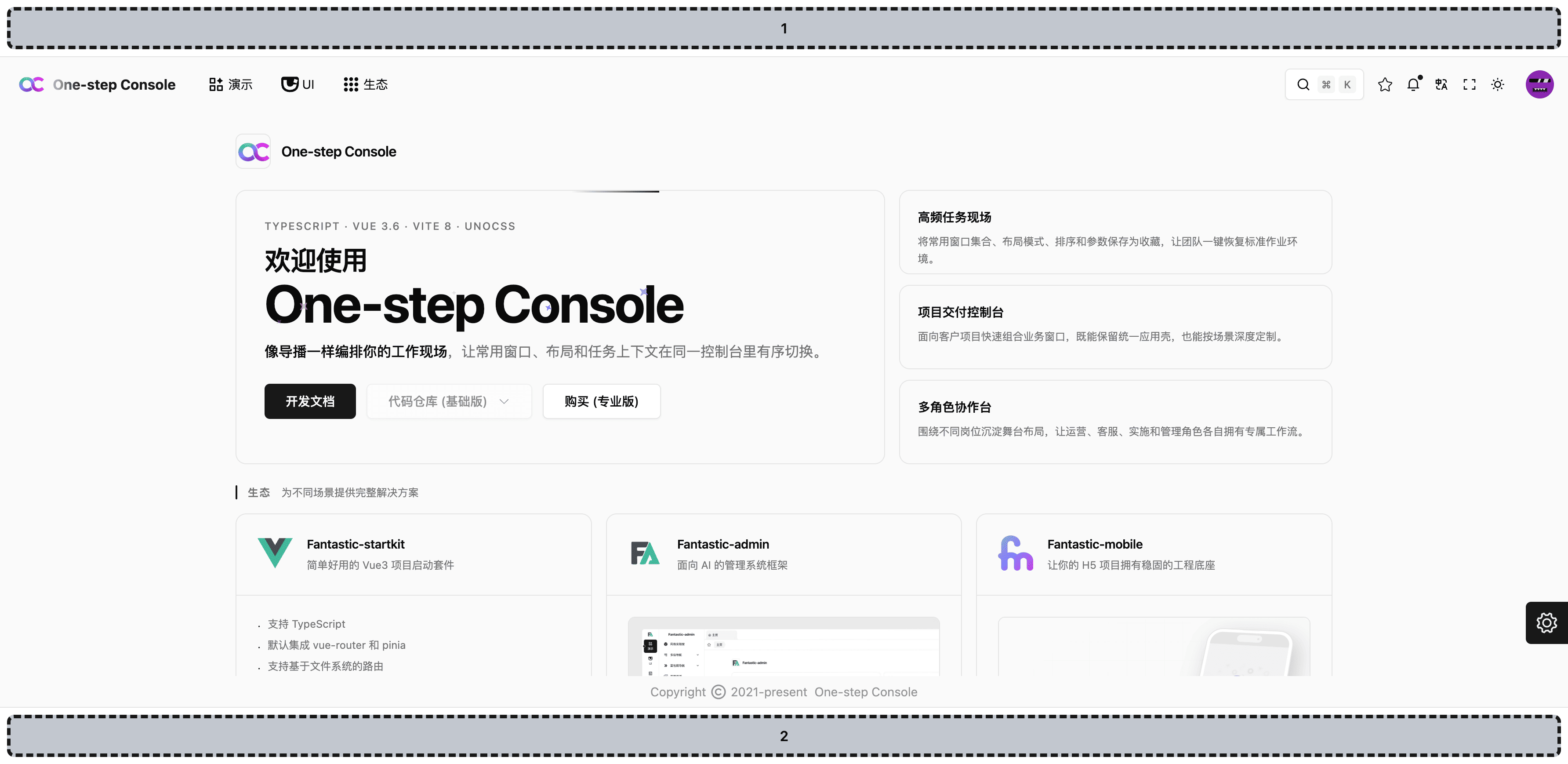
布局
LayoutTopLayoutBottom
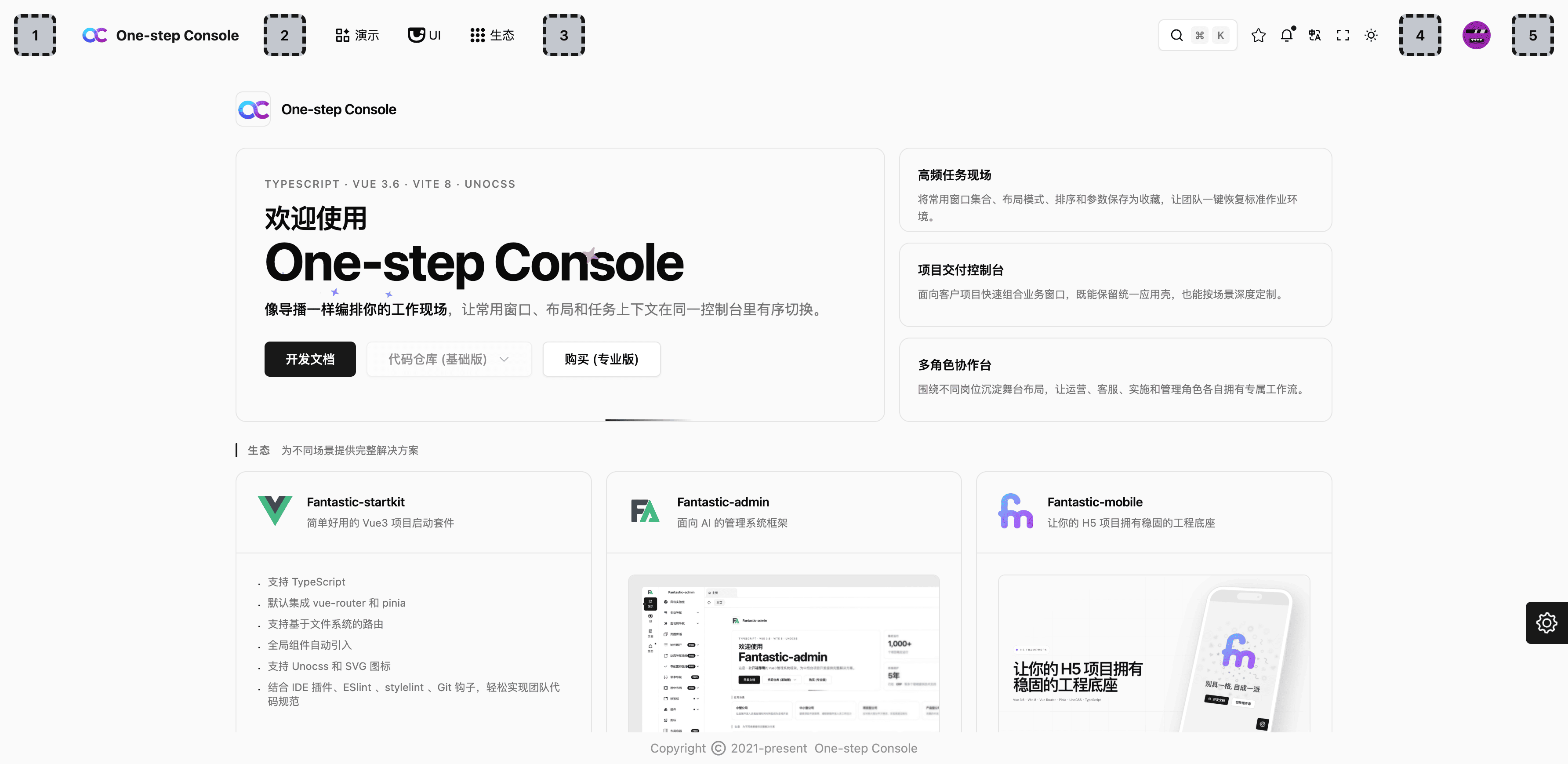
头部
HeaderStartHeaderAfterLogoHeaderAfterMenuHeaderBeforeAccountHeaderEnd
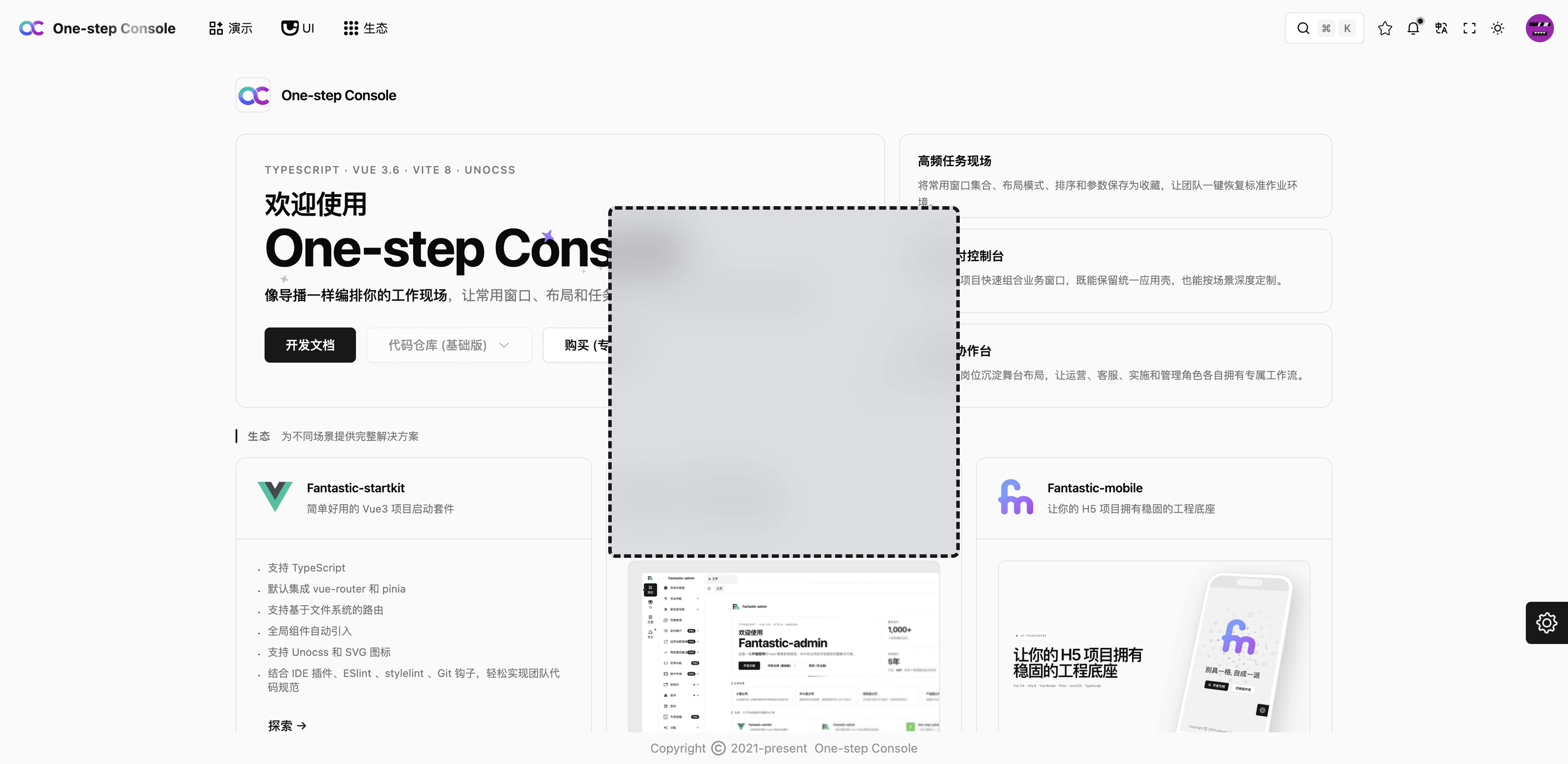
自由位置
FreePosition
该插槽需要设置 position: absolute; 样式并定位到需要的位置,否则无法正确显示。
常见场景
切换组织
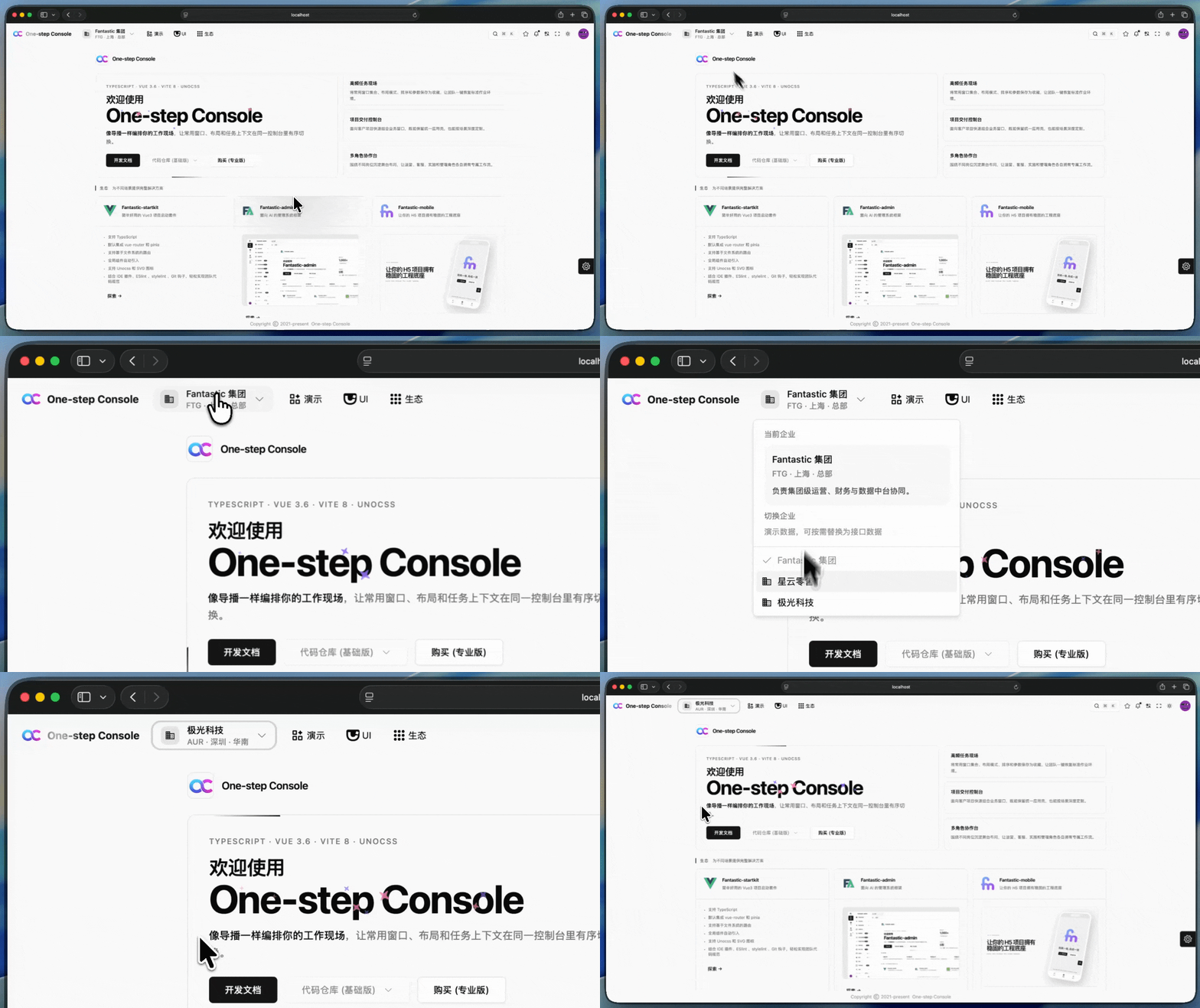
实现代码
vue
<script setup lang="ts">
interface EnterpriseItem {
  id: string
  name: string
  code: string
  region: string
  description: string
}

const enterpriseList: EnterpriseItem[] = [
  {
    id: 'fantastic-group',
    name: 'Fantastic 集团',
    code: 'FTG',
    region: '上海 · 总部',
    description: '负责集团级运营、财务与数据中台协同。',
  },
  {
    id: 'nebula-retail',
    name: '星云零售',
    code: 'NBR',
    region: '杭州 · 华东',
    description: '覆盖直营网点、会员增长与门店零售业务。',
  },
  {
    id: 'aurora-tech',
    name: '极光科技',
    code: 'AUR',
    region: '深圳 · 华南',
    description: '聚焦企业服务、智能硬件与解决方案交付。',
  },
]

const activeEnterpriseId = ref(enterpriseList[0].id)

const currentEnterprise = computed(() => {
  return enterpriseList.find(item => item.id === activeEnterpriseId.value) ?? enterpriseList[0]
})

const menuItems = computed(() => [
  enterpriseList.map(item => ({
    label: item.name,
    icon: item.id === activeEnterpriseId.value ? 'i-ep:check' : 'i-mdi:domain',
    disabled: item.id === activeEnterpriseId.value,
    handle: () => {
      activeEnterpriseId.value = item.id
    },
  })),
])
</script>

<template>
  <div class="flex min-w-0 items-center">
    <OcDropdown align="start" side="bottom" :side-offset="10" :items="menuItems">
      <OcButton variant="ghost" class="px-3 rounded-xl flex gap-3 h-10 max-w-72 items-center">
        <span class="text-primary rounded-lg bg-primary/10 flex-center shrink-0 size-7">
          <OcIcon name="i-mdi:domain" class="size-4" />
        </span>
        <span class="text-left flex-1 min-w-0">
          <span class="text-sm block truncate">{{ currentEnterprise.name }}</span>
          <span class="text-xs text-secondary-foreground/60 block truncate">
            {{ currentEnterprise.code }} · {{ currentEnterprise.region }}
          </span>
        </span>
        <OcIcon name="i-ep:arrow-down" class="text-secondary-foreground/70 shrink-0 size-4" />
      </OcButton>
      <template #header>
        <div class="px-1 py-1 w-72 space-y-2">
          <div class="text-xs text-secondary-foreground/60">
            当前企业
          </div>
          <div class="px-3 py-3 rounded-xl bg-muted/60">
            <div class="text-sm font-medium">
              {{ currentEnterprise.name }}
            </div>
            <div class="text-xs text-secondary-foreground/60 mt-1">
              {{ currentEnterprise.code }} · {{ currentEnterprise.region }}
            </div>
            <div class="text-xs text-secondary-foreground/80 leading-5 mt-2">
              {{ currentEnterprise.description }}
            </div>
          </div>
          <div class="text-xs text-secondary-foreground/60">
            切换企业
          </div>
          <div class="text-xs text-secondary-foreground/50">
            演示数据,可按需替换为接口数据
          </div>
        </div>
      </template>
    </OcDropdown>
  </div>
</template>
横幅公告
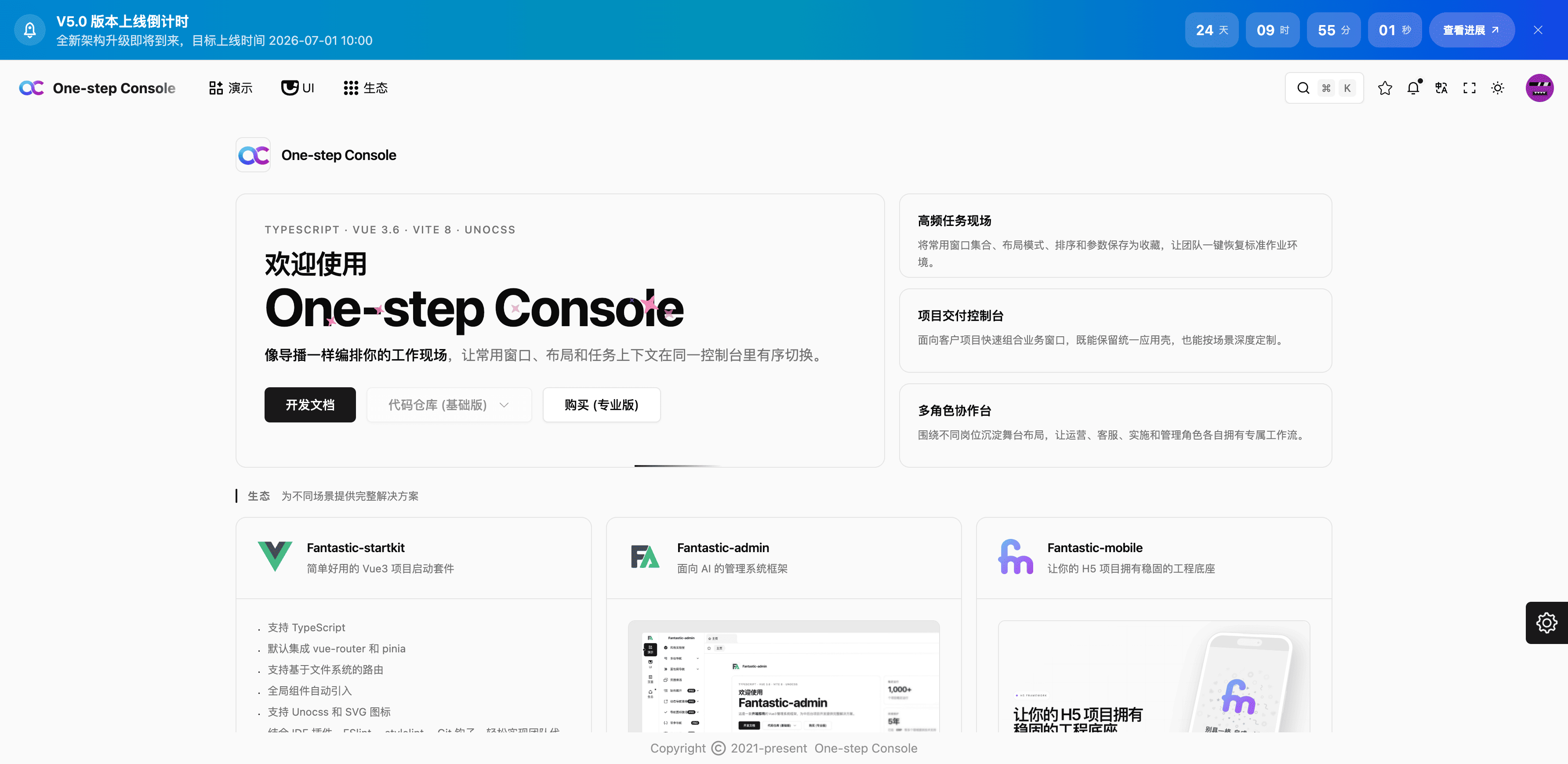
实现代码
vue
<script setup lang="ts">
import dayjs from '@/utils/dayjs'

const launchAt = '2026-07-01 10:00:00'
const activityUrl = 'https://fantastic-admin.hurui.me'
const closedStorageKey = `layout-top-v6-countdown:${launchAt}`

const isClosed = ref(false)
const currentTime = ref(dayjs())

let timer: number | undefined

const remainSeconds = computed(() => {
  return Math.max(dayjs(launchAt).diff(currentTime.value, 'second'), 0)
})

const isShow = computed(() => {
  return !isClosed.value && remainSeconds.value > 0
})

const countdownList = computed(() => {
  const days = Math.floor(remainSeconds.value / (24 * 60 * 60))
  const hours = Math.floor((remainSeconds.value % (24 * 60 * 60)) / 3600)
  const minutes = Math.floor((remainSeconds.value % 3600) / 60)
  const seconds = remainSeconds.value % 60

  return [
    {
      label: '天',
      value: String(days).padStart(2, '0'),
    },
    {
      label: '时',
      value: String(hours).padStart(2, '0'),
    },
    {
      label: '分',
      value: String(minutes).padStart(2, '0'),
    },
    {
      label: '秒',
      value: String(seconds).padStart(2, '0'),
    },
  ]
})

function updateCurrentTime() {
  currentTime.value = dayjs()
  if (remainSeconds.value === 0 && timer) {
    window.clearInterval(timer)
    timer = undefined
  }
}

function handleOpen() {
  window.open(activityUrl, '_blank', 'noopener,noreferrer')
}

function handleClose() {
  isClosed.value = true
  localStorage.setItem(closedStorageKey, '1')
  if (timer) {
    window.clearInterval(timer)
    timer = undefined
  }
}

onMounted(() => {
  isClosed.value = localStorage.getItem(closedStorageKey) === '1'
  updateCurrentTime()
  if (!isClosed.value && remainSeconds.value > 0) {
    timer = window.setInterval(updateCurrentTime, 1000)
  }
})

onUnmounted(() => {
  if (timer) {
    window.clearInterval(timer)
  }
})
</script>

<template>
  <div
    v-if="isShow"
    class="from-sky-600 to-blue-700 via-cyan-600 bg-gradient-to-r"
  >
    <div class="text-white mx-auto px-4 py-3 flex flex-col gap-3 min-h-12 md:flex-row md:items-center md:justify-between">
      <div class="flex gap-3 min-w-0 items-center">
        <div class="rounded-full bg-white/14 flex-center flex-none size-9 backdrop-blur-sm">
          <OcIcon name="i-ri:rocket-2-line" class="size-5" />
        </div>
        <div class="min-w-0">
          <div class="text-sm font-semibold md:text-base">
            V5.0 版本上线倒计时
          </div>
          <div class="text-xs text-white/78 leading-5 md:text-sm">
            全新架构升级即将到来,目标上线时间 2026-07-01 10:00
          </div>
        </div>
      </div>
      <div class="flex flex-wrap gap-2 items-center">
        <div
          v-for="item in countdownList"
          :key="item.label"
          class="px-3 rounded-xl bg-white/14 inline-flex gap-1.5 h-10 min-w-15 whitespace-nowrap items-center backdrop-blur-sm"
        >
          <div class="text-sm leading-none font-semibold tabular-nums md:text-base">
            {{ item.value }}
          </div>
          <div class="text-[11px] text-white/72 leading-none">
            {{ item.label }}
          </div>
        </div>
        <button
          class="text-xs font-semibold px-4 rounded-full bg-white/16 inline-flex gap-1 h-10 whitespace-nowrap transition-colors items-center backdrop-blur-sm hover:bg-white/24"
          @click="handleOpen"
        >
          查看进展
          <OcIcon name="i-ri:arrow-right-up-line" class="size-3.5" />
        </button>
        <button
          class="text-white/72 rounded-full flex-center size-9 transition-colors hover:text-white"
          aria-label="关闭公告"
          @click="handleClose"
        >
          <OcIcon name="i-ep:close" />
        </button>
      </div>
    </div>
  </div>
</template>
关于我们
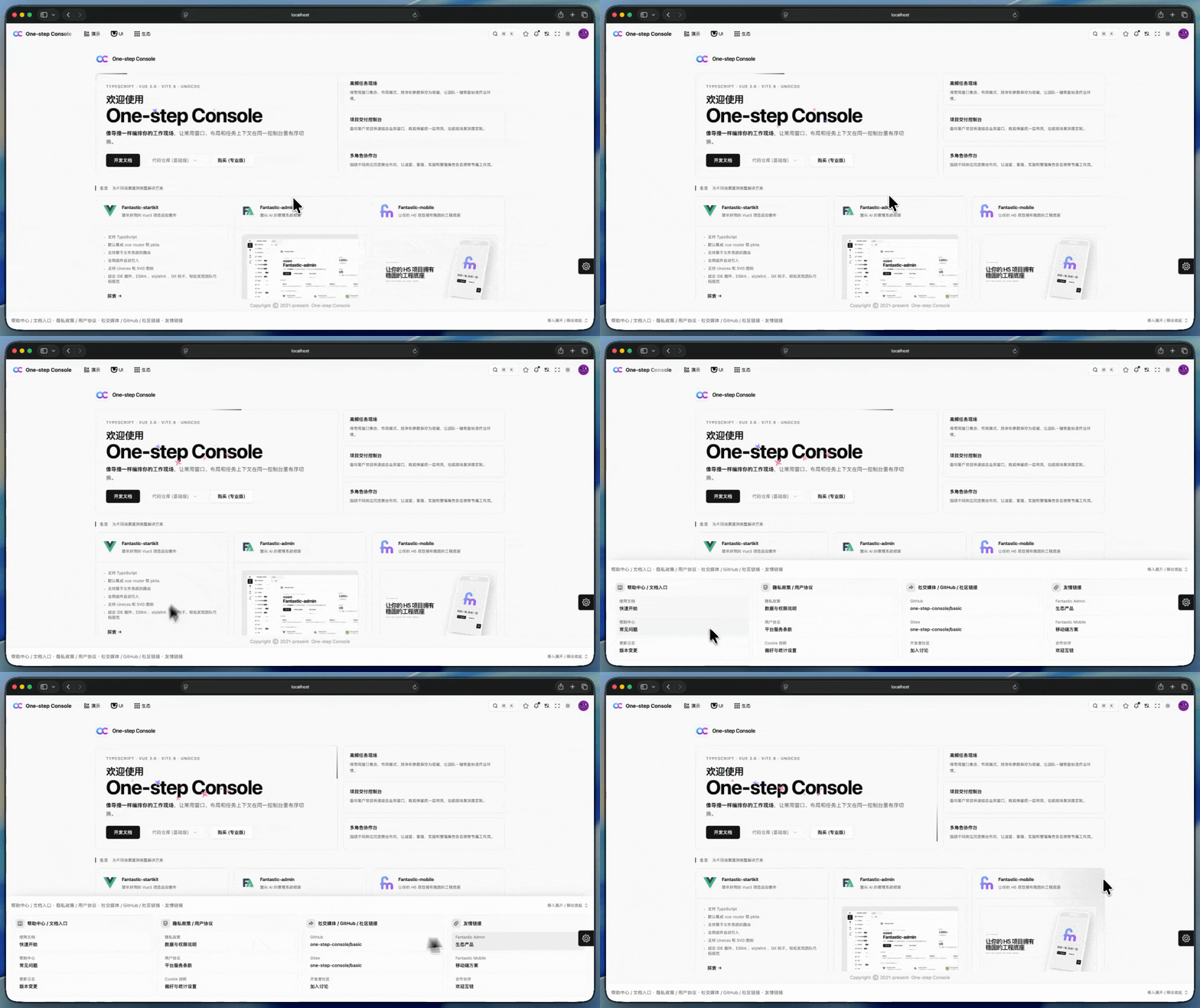
实现代码
vue
<script setup lang="ts">
import { useElementSize } from '@vueuse/core'

interface InfoItem {
  label: string
  value: string
  url?: string
}

interface InfoGroup {
  title: string
  icon: string
  items: InfoItem[]
}

const infoGroups: InfoGroup[] = [
  {
    title: '帮助中心 / 文档入口',
    icon: 'i-ri:book-open-line',
    items: [
      {
        label: '使用文档',
        value: '快速开始',
        url: 'https://one-step-admin.hurui.me',
      },
      {
        label: '帮助中心',
        value: '常见问题',
        url: 'https://one-step-admin.hurui.me',
      },
      {
        label: '更新日志',
        value: '版本变更',
        url: 'https://one-step-admin.hurui.me',
      },
    ],
  },
  {
    title: '隐私政策 / 用户协议',
    icon: 'i-ri:shield-check-line',
    items: [
      {
        label: '隐私政策',
        value: '数据与权限说明',
      },
      {
        label: '用户协议',
        value: '平台服务条款',
      },
      {
        label: 'Cookie 说明',
        value: '偏好与统计设置',
      },
    ],
  },
  {
    title: '社交媒体 / GitHub / 社区链接',
    icon: 'i-ri:share-forward-line',
    items: [
      {
        label: 'GitHub',
        value: 'one-step-console/basic',
        url: 'https://github.com/one-step-console/basic',
      },
      {
        label: 'Gitee',
        value: 'one-step-console/basic',
        url: 'https://gitee.com/one-step-console/basic',
      },
      {
        label: '开发者社区',
        value: '加入讨论',
      },
    ],
  },
  {
    title: '友情链接',
    icon: 'i-ri:links-line',
    items: [
      {
        label: 'Fantastic Admin',
        value: '生态产品',
        url: 'https://fantastic-admin.hurui.me',
      },
      {
        label: 'Fantastic Mobile',
        value: '移动端方案',
        url: 'https://fantastic-mobile.hurui.me',
      },
      {
        label: '合作伙伴',
        value: '欢迎互链',
        url: 'https://one-step-admin.hurui.me',
      },
    ],
  },
]

const collapsedHeight = 56
const panelContentRef = useTemplateRef('panelContentRef')
const { height: panelContentHeight } = useElementSize(panelContentRef)

function openLink(url?: string) {
  if (!url) {
    return
  }
  window.open(url, '_blank', 'noopener,noreferrer')
}
</script>

<template>
  <div class="h-14 relative">
    <div
      class="layout-bottom-panel bg-background/92 h-14 inset-x-0 bottom-0 absolute z-1 overflow-hidden backdrop-blur-md supports-[backdrop-filter]:bg-background/78"
      :style="{
        '--layout-bottom-expanded-height': `${Math.max(Math.ceil(panelContentHeight), collapsedHeight)}px`,
      }"
    >
      <div ref="panelContentRef">
        <div class="mx-auto px-4 flex gap-3 h-14 items-center">
          <div class="text-sm text-muted-foreground flex-1 gap-2 min-w-0 hidden items-center md:flex">
            <span class="truncate">
              帮助中心 / 文档入口 · 隐私政策 / 用户协议 · 社交媒体 / GitHub / 社区链接 · 友情链接
            </span>
          </div>
          <div class="text-xs text-muted-foreground ml-auto inline-flex flex-none gap-1 whitespace-nowrap items-center">
            <span>移入展开 / 移出收起</span>
            <OcIcon class="size-4" name="i-ri:expand-up-down-line" />
          </div>
        </div>
        <div class="mx-4 pb-4">
          <div class="gap-3 grid md:grid-cols-2 xl:grid-cols-4">
            <div
              v-for="group in infoGroups"
              :key="group.title"
              class="p-3 border border-border/60 rounded-xl bg-muted/38"
            >
              <div class="mb-3 flex gap-2 items-center">
                <div class="text-primary rounded-lg bg-primary/10 flex-center size-7">
                  <OcIcon :name="group.icon" class="size-4" />
                </div>
                <div class="text-sm font-semibold">
                  {{ group.title }}
                </div>
              </div>
              <div class="flex flex-col gap-2">
                <button
                  v-for="item in group.items"
                  :key="`${group.title}-${item.label}`"
                  type="button"
                  class="px-3 py-2 text-left rounded-lg transition-colors" :class="[
                    item.url
                      ? 'bg-background/80 hover:bg-primary/6 cursor-pointer'
                      : 'bg-background/60 cursor-default',
                  ]"
                  @click="openLink(item.url)"
                >
                  <div class="text-xs text-muted-foreground mb-1">
                    {{ item.label }}
                  </div>
                  <div class="text-sm font-medium break-all">
                    {{ item.value }}
                  </div>
                </button>
              </div>
            </div>
          </div>
        </div>
      </div>
    </div>
  </div>
</template>

<style scoped>
.layout-bottom-panel {
  transition:
    height 300ms cubic-bezier(0.22, 1, 0.36, 1),
    box-shadow 300ms cubic-bezier(0.22, 1, 0.36, 1);
  will-change: height, box-shadow;
}

.layout-bottom-panel:hover,
.layout-bottom-panel:focus-within {
  height: var(--layout-bottom-expanded-height, 56px);
  box-shadow: 0 -14px 28px -20px rgb(15 23 42 / 28%);
}
</style>